Give someone a checklist. See what they did.
ToDoLink lets you make a list of tasks, send it by link or QR code, and watch each tick arrive as it happens. No account needed on either side.
Free to use, no sign-up.


How ToDoLink works
Make a list
Tasks for once, or for every day.
Send it
A link in any messenger, or a QR code to scan with the app. To a child, a student or a teammate.
Watch the ticks
You see each task they finish, and when.
What ToDoLink can do
One-off or recurring
A packing list is done once. A morning routine comes back every day, with fresh ticks each day.
A schedule per task
Every day, chosen weekdays, or every 2–7 days, with a start date and an optional end.
Proof when it matters
Ask for a photo, a comment or both. The task can’t be ticked without them.
Optional notes
Let people add a short note to a task, even when no proof is needed.
Link or QR code
A personal link for one person, a public link for a whole class or team.
Live progress
See who is on it, today’s progress and the time of every tick.
No sign-up
Start in seconds. Sign in with Google or Apple later to keep your lists across devices.
Web, Android and iOS
Lists open right in the browser. The apps add reminders and a QR scanner.
ToDoLink for everyday handovers
Parents and kids
Morning routine, homework, chores on weekdays. See the bed is made without asking twice, with a photo if you like.
Coach and gym
Send a weekly workout plan to every athlete with one public link, then see who trained and read their comments.
Teacher
A reading log or homework checklist for the whole class. Each student’s progress shows separately.
Team
Opening and closing checklists, onboarding steps. Ask for a photo of the clean counter.
See ToDoLink in action
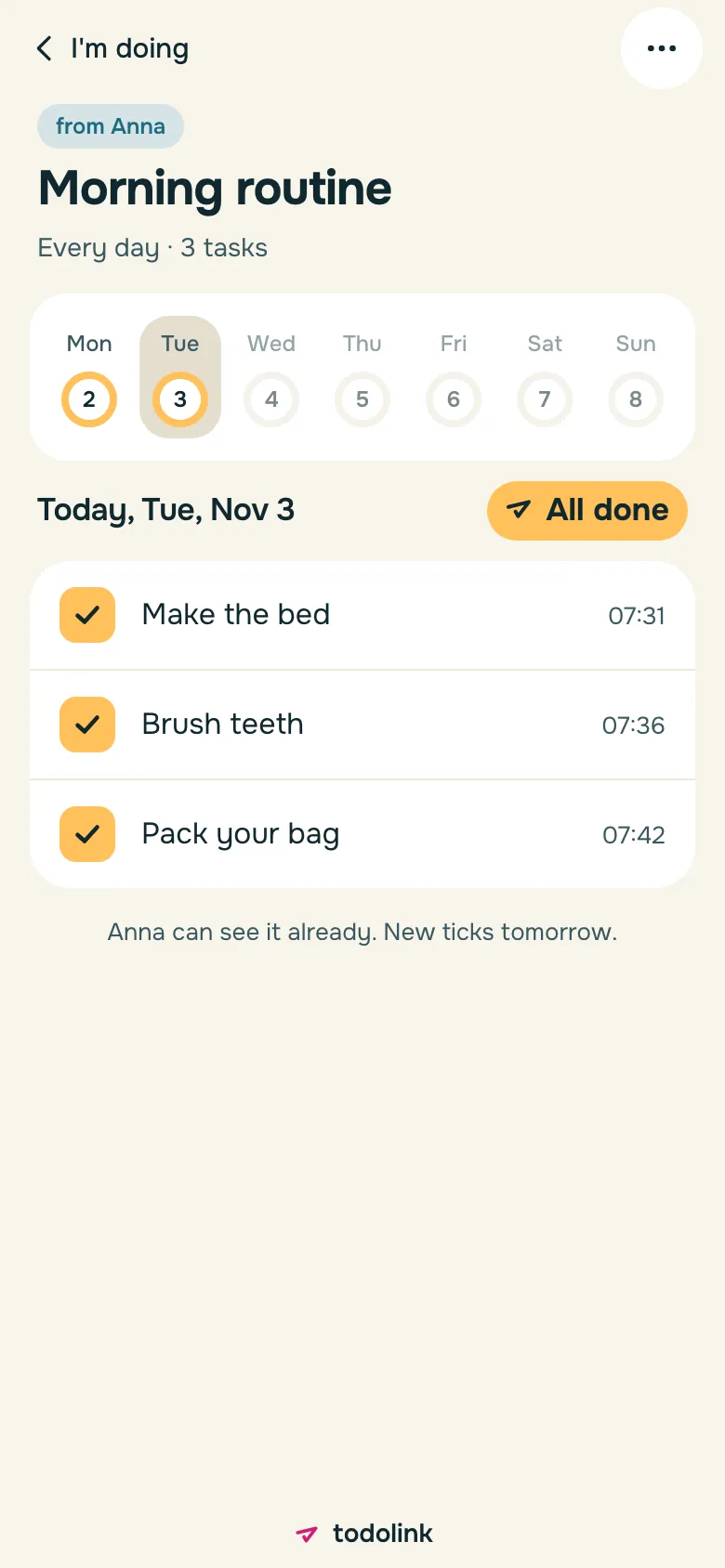
Mia’s morning, ticked by 7:42 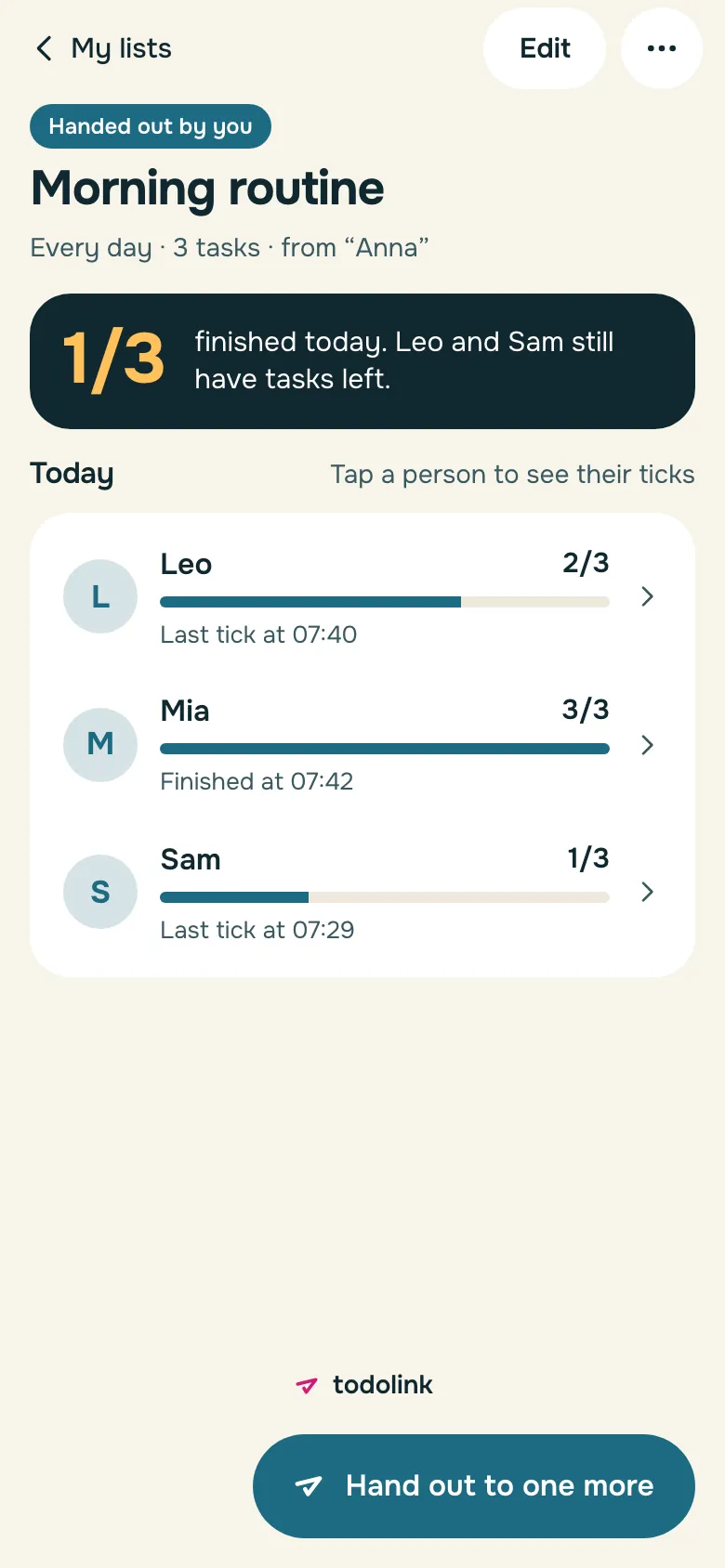
Everyone on one screen 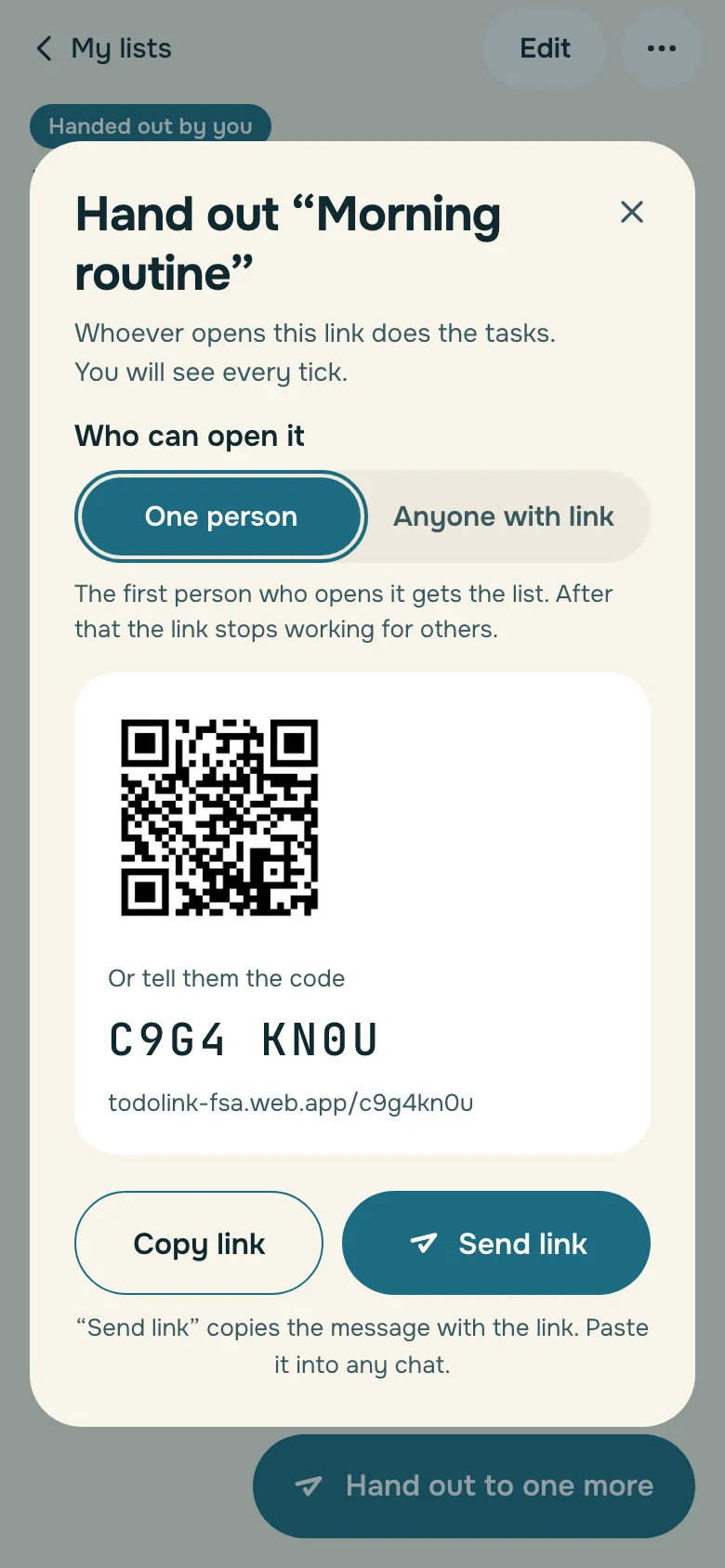
Send by link or QR 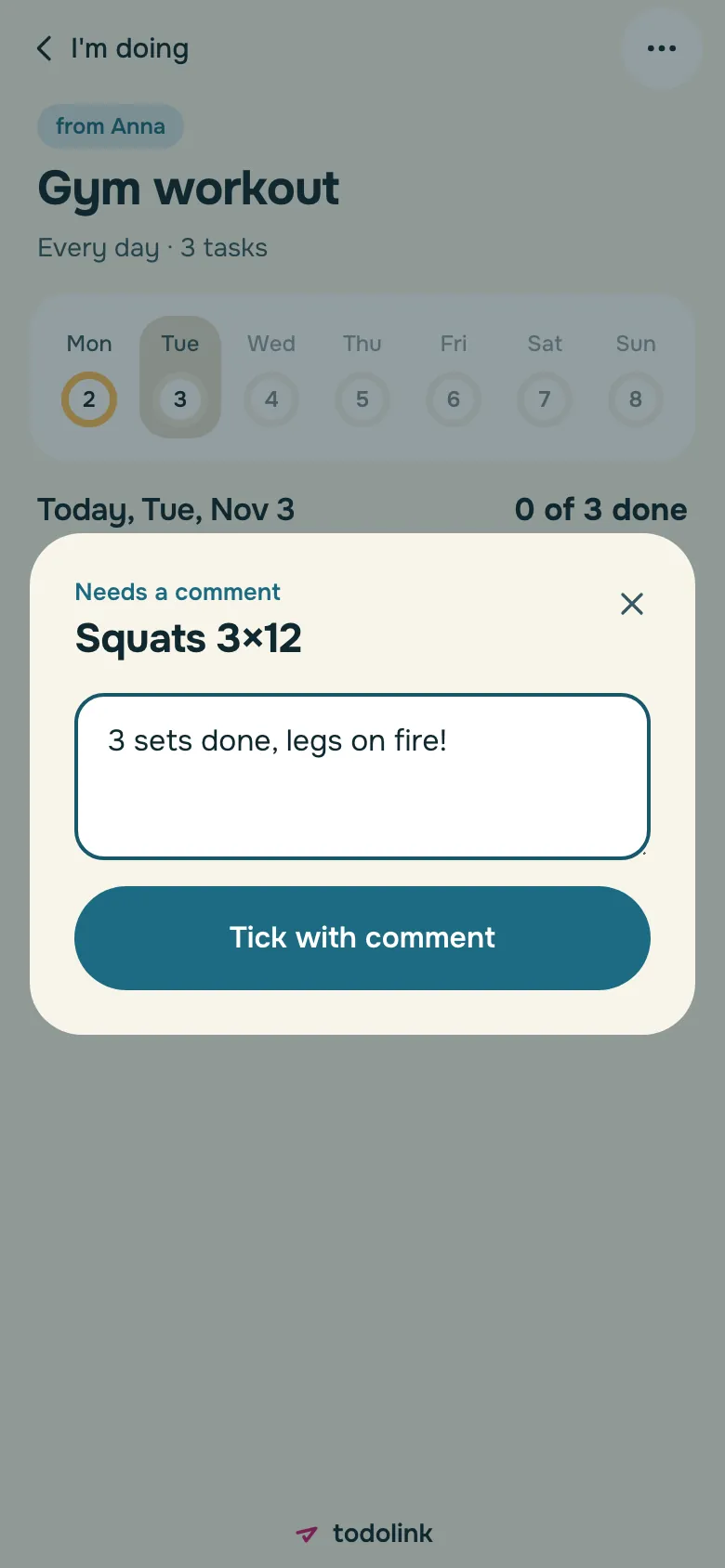
Proof by photo or comment 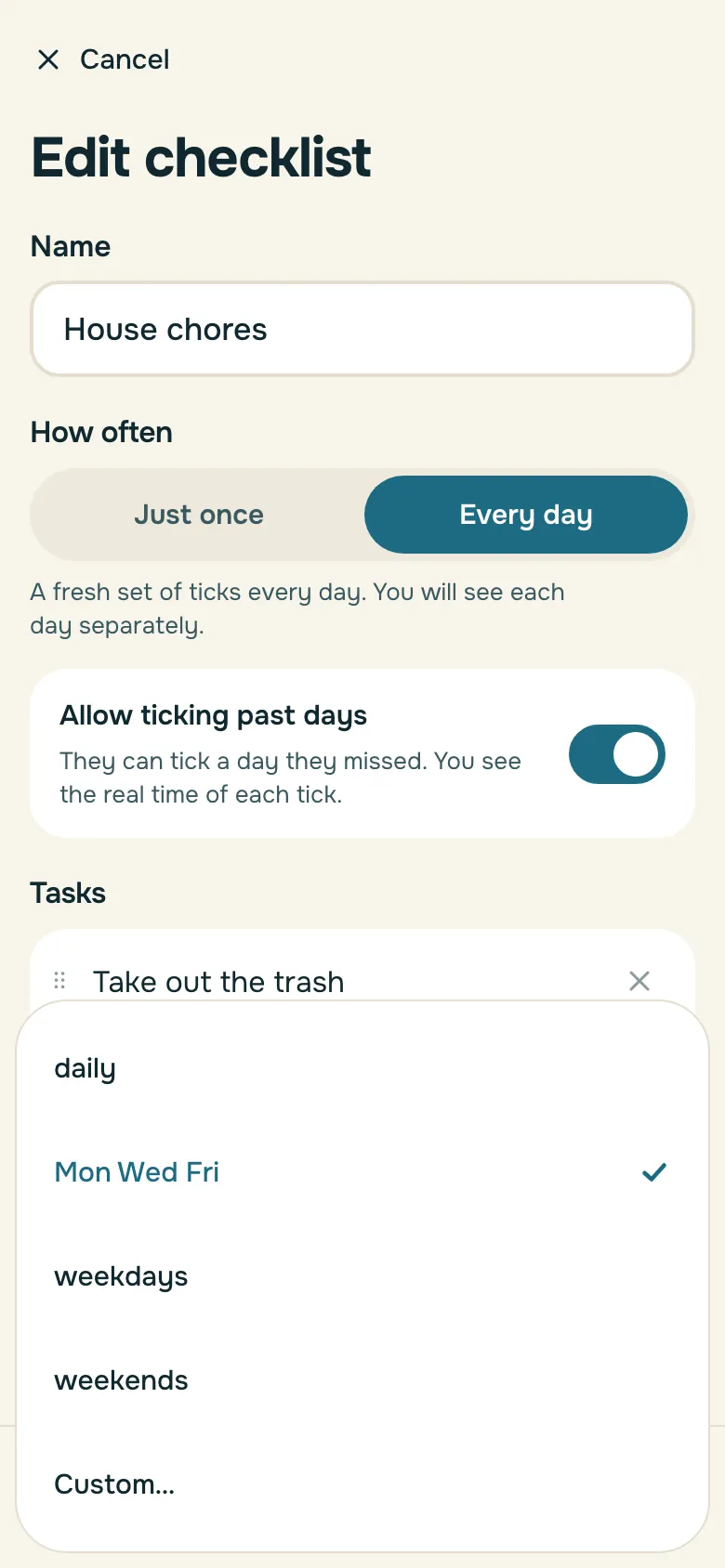
Chores on Mon, Wed and Fri


ToDoLink on the web, Android and iPhone
ToDoLink lists open in any browser, with nothing to install. The apps for Android and iPhone look the same and add reminders and a QR scanner. Sign in to see your lists on every device.
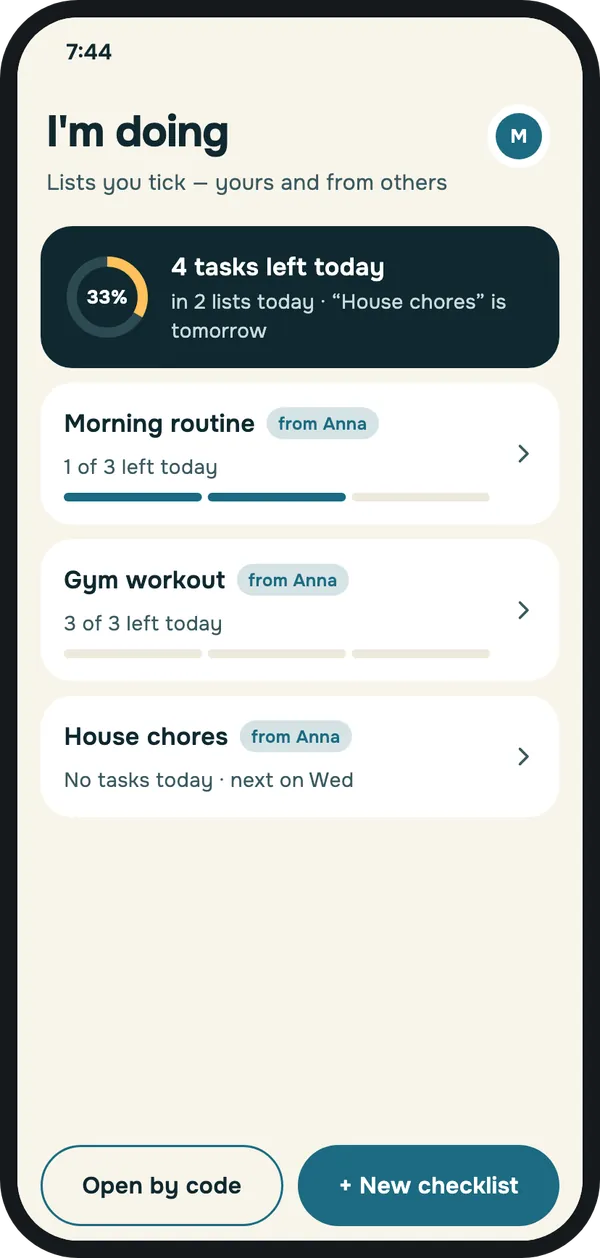
Every list you’ve been given 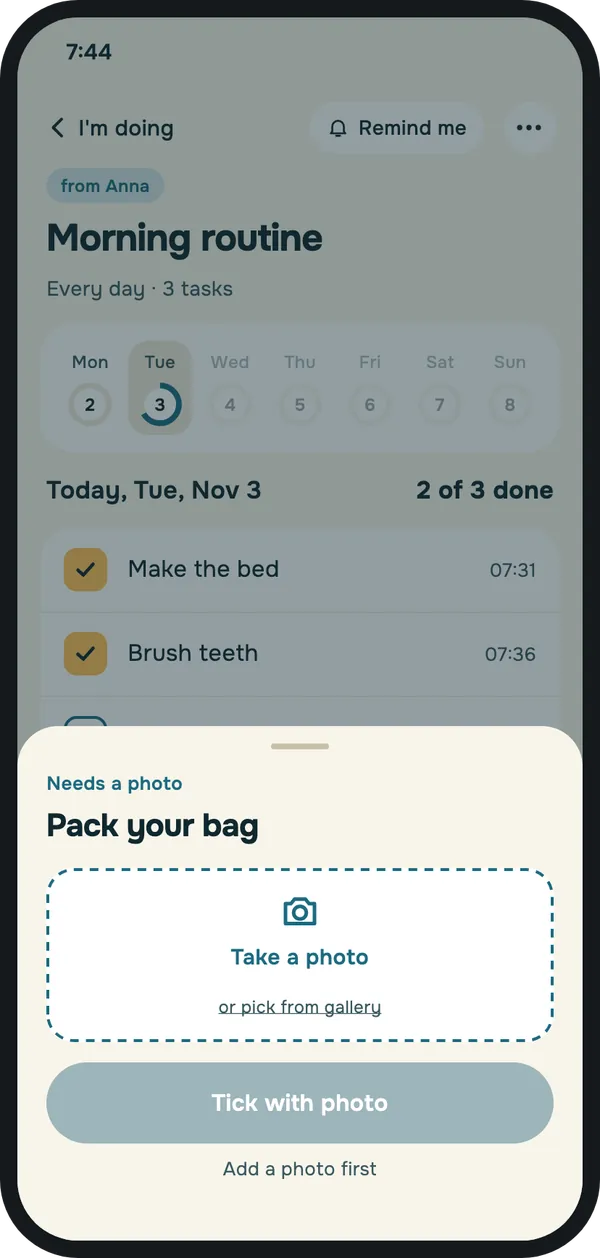
Tick a task, add a photo


Questions and answers
Is ToDoLink free?
Yes. Making lists, handing them out and following them is free, with no sign-up.
Does the person I send a list to need the app or an account?
No. A ToDoLink link opens in any browser and they can start right away. They can also install the app for Android or iPhone.
Do I need to register?
No. ToDoLink works without an account. Sign in with Google or Apple only if you want to keep your lists when you change phones or use several devices.
What is the difference between one-off and recurring lists?
A one-off list is finished once every task is ticked. A recurring list repeats on its schedule: each day starts with fresh ticks, and past days stay in the history.
How do schedules work?
Each task can repeat every day, on chosen weekdays, or every 2–7 days. It starts on a set date and runs with no end, until a set date, or for a set time after the person starts.
How do I know a task was really done?
Ask for proof: a photo, a comment or both. The task can’t be ticked without it, and you see the proof next to the tick and its time.
What is the difference between a personal and a public link?
A personal link can be accepted by one person and then stops working. A public link can be accepted by any number of people, and you see each of them separately.
Can I change a list after sending it?
Yes. Changes apply to today and the days ahead; past days stay as they were.
Can I take a list back?
Yes. Stop it, and participants lose access and no more ticks are collected.
Who sees the ticks and photos?
Only you, as the list’s author, and the person who made them. ToDoLink shows them to no one else.
Will people get reminders?
In the Android and iPhone apps, yes. In the browser there are no reminders.